AuthoredUp 7.1 - Slack & Teams notifications, post previews for LinkedIn's new feed, and Premium button analytics
Release season continues.
7.1 brings AuthoredUp into your team chat, updates post previews to LinkedIn's new feed, and adds a stat LinkedIn Premium users have been asking for. Plus a lot of stability work on the LinkedIn integration.
Here's what's inside:
Notifications in Slack & Microsoft Teams 🔔
A teammate shares a draft, you get a reminder to publish, or a member's post goes out - you can now hear about it where you and your team already spend (a lot of) time. 🙂
Setup is two clicks: go to Account settings - Notifications, press Connect Slack or Connect Teams, and pick which notifications go to which channel.
No more asking "did the post go out?" in a stand-up - or checking the tab yourself. Available on every plan.
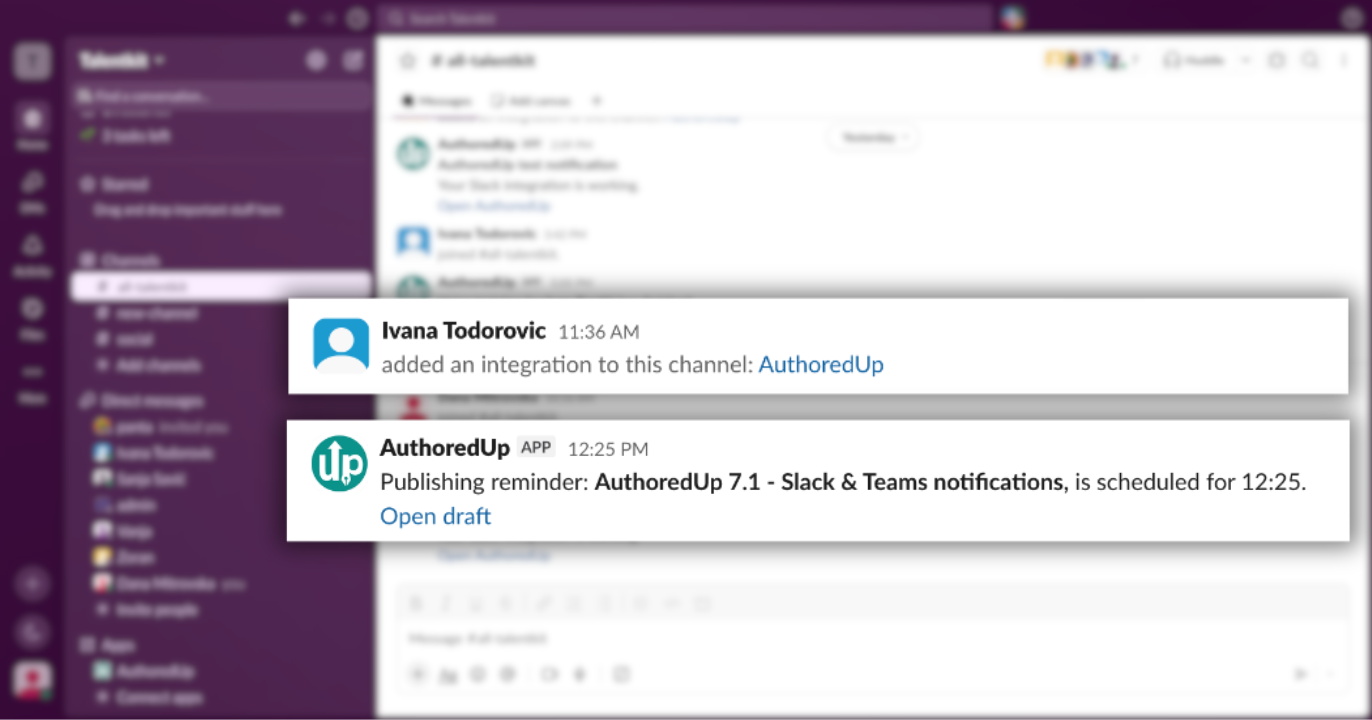
Connect Slack → https://help.authoredup.com/articles/connect-slack-to-authoredup
Connect Teams → https://help.authoredup.com/articles/microsoft-teams-webhook-workflows
Post previews for LinkedIn's new feed 👀
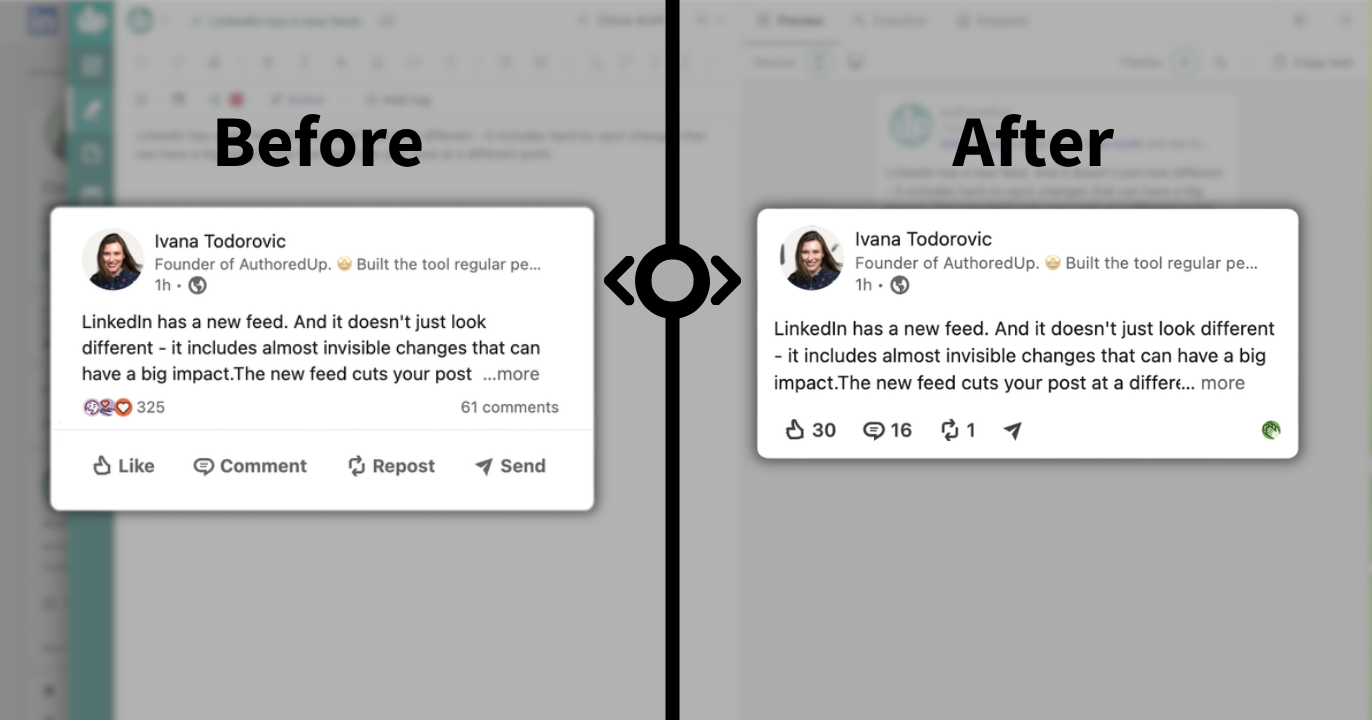
LinkedIn has a new feed. And it doesn't just look different - it includes (almost invisible changes) that can have a big impact.
The new preview algorithm works differently, and it cuts your post at a different point.
The text shown before "see more" is not the same as in the old feed, so a hook written for the old cut can now break mid-sentence.
We updated the preview to follow the new feed. You see exactly what your readers see before you publish.
Not sure which feed you have? The new one shows engagement counts next to the Like, Comment, and Repost buttons.
Note that you can still have an old feed on your profile. But the new one is dominant, and it's reaching everyone soon.
LinkedIn Premium button analytics 📊
LinkedIn Premium lets you add a custom button - Visit my website, Book an appointment, View my portfolio.
LinkedIn shows it on your posts too, right under your name.
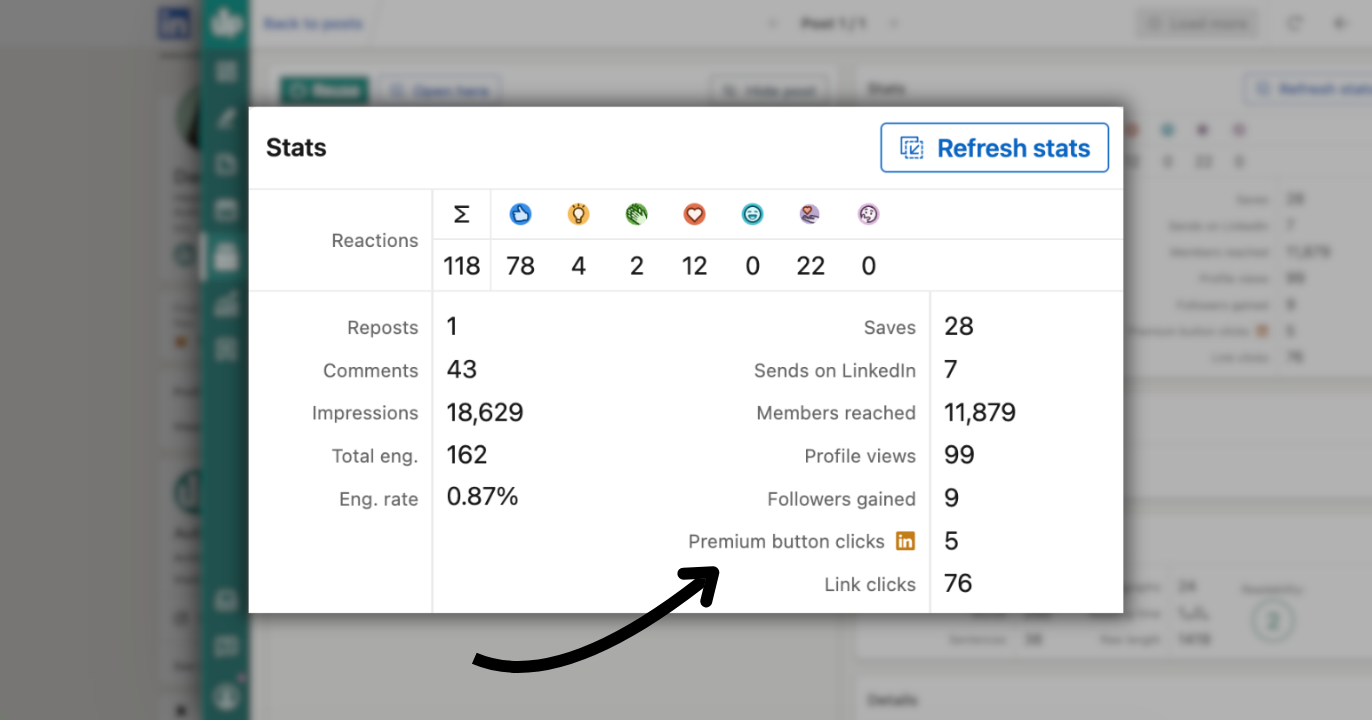
Until today, those clicks were invisible or mixed in with regular link clicks.
Now they're a metric of their own: AuthoredUp tracks Premium button clicks separately, so you can see which posts actually drive people to click - in post statistics, post tables, comparisons, highlights, and the team leaderboard.
Premium button clicks are part of advanced post stats - here's how collection works → https://help.authoredup.com/articles/collect-advanced-post-stats
A steadier LinkedIn integration 🔄
LinkedIn changed how its post editor works, which broke publishing and activation for some users. This release fixes that, along with a huge set of data-quality issues and app improvements:
- Publishing and activation work again, and AuthoredUp now follows LinkedIn's editor changes more reliably.
- Posts no longer go out with stale or missing content when LinkedIn syncs your text with a delay.
- Reaction totals on post cards now match the detailed post statistics.
- Stats get attached to the correct post, profile, company, or group.
- Deleted posts no longer show up in dashboards and analytics.
For those using the API: Draft responses now include Markdown content and a version number for conflict-safe updates, and list endpoints paginate up to 1,000 records.
If activation, publishing, or stats collection failed for you recently, give it another try. And if anything still looks off, please let us know. 🙏
There's more coming. We'll keep you posted. 🔜