AuthoredUp 4.5.1
Fixed the issue where published or scheduled posts weren't being tracked for some users.
This caused problems such as:
• Scheduled post doesn't show up in the calendar
• Just created post doesn't show up in the post list or stats
• AuthoredUp doesn't have exact data for some stats, like the exact posting time
If you had issues like this, please follow this guide to upgrade: https://help.authoredup.com/articles/how-to-update-authoredup
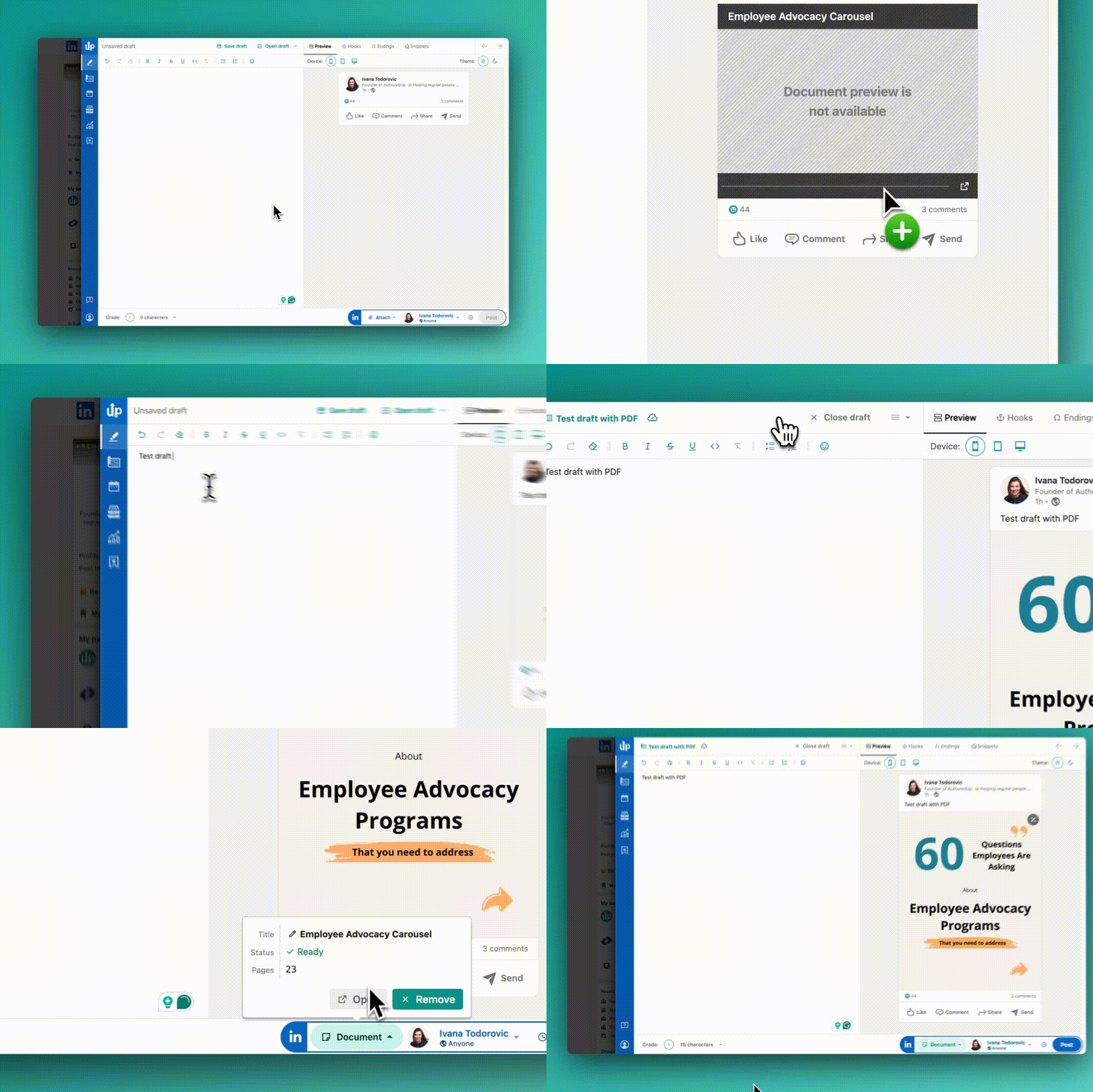
💾 PDFs are now supported in Drafts 🌺
You don't need us to tell you:
Documents are one of the best content types on LinkedIn.
You already know it.
So, from the day we released drafts, customers were asking to support them in our app.
Easier said than done, tbh.
To make it happen, we had to rebuild the whole attachment section.
That enabled us to add documents, fix bugs, and improve the experience.
Here is what is new:
• You can now add PDFs, presentations, and even docs in AuthoredUp drafts.
• You can share such drafts with other members (business license).
• When you add multiple images, you can change the order, add alt text and remove specific photos from the sequence.
• If you experienced an issue when the post was published without an image, that won't happen again. 🤞
So get the new version and try it yourself.
And remember to suggest more features on our roadmap.
We are listening. 💚
Free tool: Headline preview 🚀
➡️ Control your first impression on LinkedIn
You are spending time posting, commenting and engaging.
People see your profile picture and headline.
And there are two things they can do:
- Keep scrolling
- Go to your profile
What do you think can influence the decision?
Exactly, your headline.
But LinkedIn is not showing the whole headline in the feed—just the firts part.
And as always, mobile and desktop versions differ.
And this story wouldn't be so interesting without data.
Optimizing headlines for the feeds can get you up to 250% more profile views!
That is the highest ROI per letter. 💹
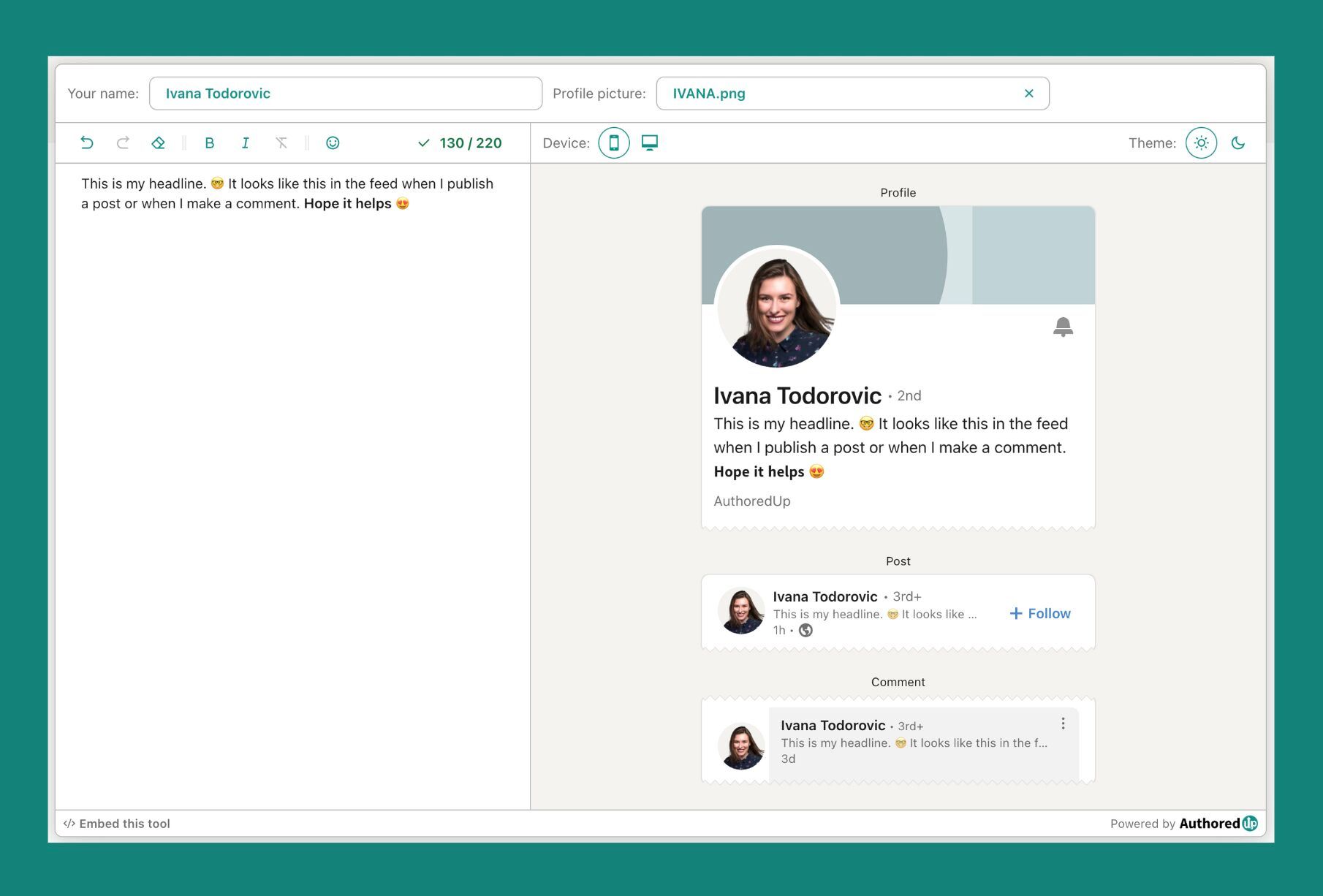
To help you out, we built a headline preview tool.
As you type, the tool will display a real-time preview of how your headline will look in three cases:
• When someone visits your profile on LinkedIn,
• When someone who doesn't follow you sees your post in their feed,
• When someone sees your comment under the post.
To go even further, we built a simple way to embed the tool wherever you want - your website, blog, or Notion. 🤩
So use it: https://go.authoredup.com/op2cQi
And share it with your community.
They will be grateful! 🌺
Free tool: About Me writer for LinkedIn 🚀
Why is this tool important? 🦄
When you create content, people naturally go to your profile or company page. To learn about you, your offer, and your results.
If your profile is not optimized, every day, you are leaving money/opportunities on the table.
So, what does it do? 👀
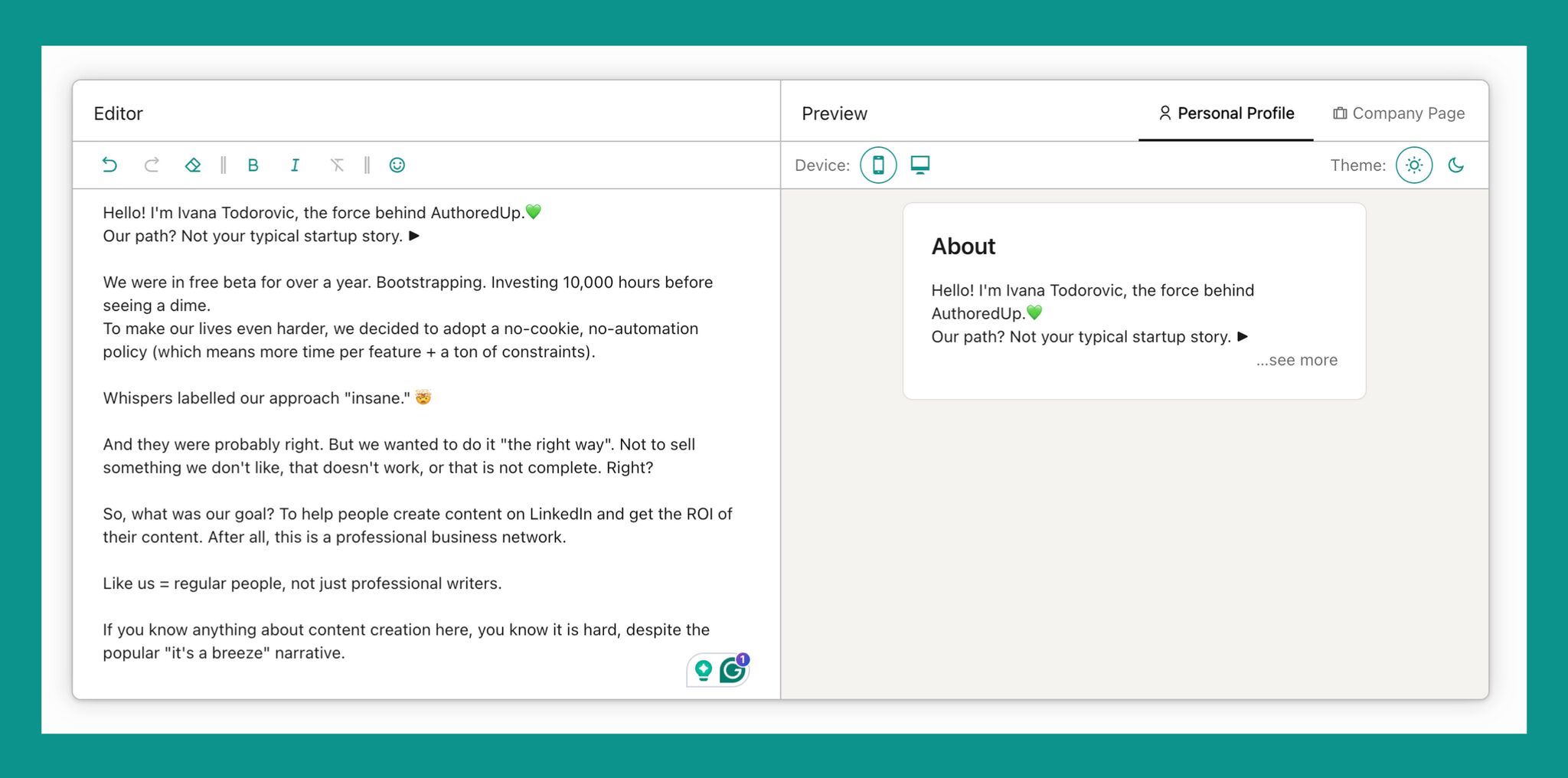
It helps you to write, edit and preview:
• About me section OR
• Company page description
You can see where the "see more" button is. You can expand the text, and optimize for mobile and desktop.
It is for...
Anyone looking to improve and optimize their profile or page. Give or take, 1 billion LinkedIn members. 😅
Any constraints?
Nada. Use it how you want, when you want. Just go there and start typing. ✅
How to access it:
Find it in the footer section on authoredup website
Or click on this link: https://go.authoredup.com/hGZBPQ
Do you plan to update your About Me section soon? 🤩
PS: Help us spread the word. Share this tool with other people 🌺
AuthoredUp 4.4.4
Fixed the problem with deleting scheduled posts.
When you delete a scheduled post now, it will be correctly removed from the calendar.
If you have some "stuck" deleted posts, here's what you can do:
- Go to your scheduled post list (start a new post, click the clock icon)
- Scroll down to the end of the list
That's it! AuthoredUp will figure out which scheduled posts were deleted and remove them from your calendar!
To update, follow this guide: https://help.authoredup.com/articles/how-to-update-authoredup
